
“Compatible with Epic” is not an integration spec. In AI scribe purchasing conversations, that phrase can mean a tool that lives inside the EHR and writes structured fields, a SMART on FHIR workflow that transfers a note through authenticated channels, a browser helper that pushes text into a web chart, or a transcript-and-note product that still leaves the clinician copying and pasting. Those are not minor implementation details. They decide who edits the note, who moves the data, how much IT work is required, and whether the scribe actually removes work from the encounter.
That is why an EHR integrated AI scribe comparison should start with workflow depth before it starts with note polish or monthly price. Most demos can produce a readable assessment and plan. The harder question is what happens after the patient leaves the room: where the draft lands, whether discrete fields are populated, whether authentication is clean, whether the clinician has to reformat the output, and whether the organization can support the integration it just bought.
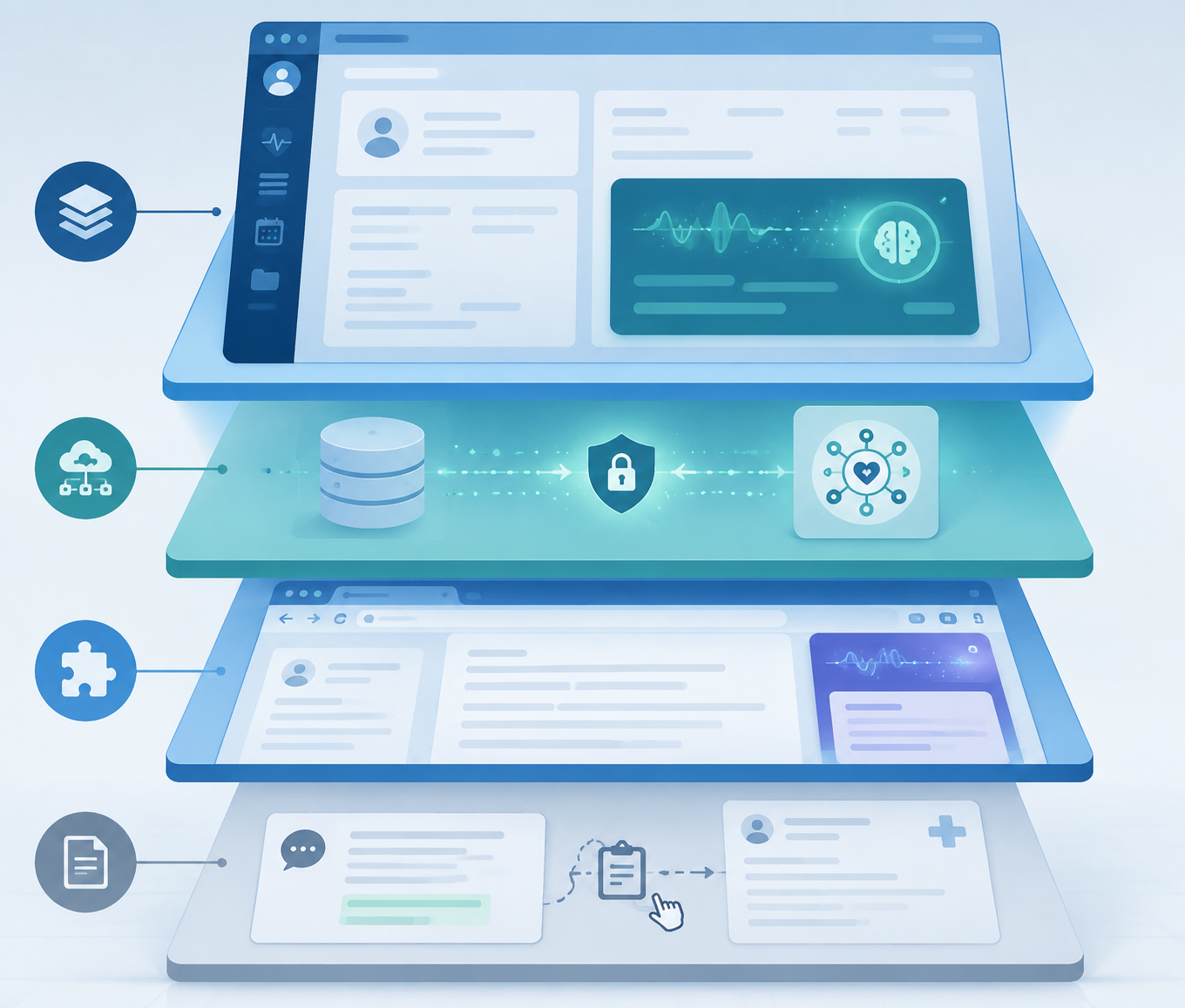
Four Workflows Hiding Under One Integration Claim
A useful way to read an AI scribe vendor page is to translate “EHR integration” into the actual transfer path. A physician-reviewed OmniMD comparison and a HealOS Epic integration guide describe a market that effectively breaks into four tiers: native embedded tools, authenticated API or SMART on FHIR tools, browser-extension workflows, and manual copy-paste products.[1][2]
| Integration tier | What it means in daily use | Representative tools from current comparisons | Typical fit |
|---|---|---|---|
| Native embedded | The scribe operates inside or very near the EHR workflow and can write into structured documentation areas. | DAX Copilot, Abridge, Ambience; emerging native EHR tools such as athenaAmbient and Epic's native ambient scribe. | Large health systems, enterprise Epic environments, organizations with implementation staff. |
| Direct API / SMART on FHIR | The scribe sends structured output through authenticated connections rather than relying on manual transfer. | DeepScribe, Suki, Glass Health Max. | Groups that need tighter connectivity but may not be ready for a full enterprise-native deployment. |
| Browser extension | The scribe sits on top of a web EHR and helps push or insert text into the chart interface. | Freed. | Small and mid-sized practices that want fast setup and can tolerate some review and placement work. |
| Copy-paste | The clinician or staff member manually moves the generated note into the EHR. | Twofold, Heidi. | Low-IT practices, early pilots, or clinicians testing ambient documentation before committing to integration work. |
The table is intentionally not a ranking. A copy-paste tool can be the right first move for a small practice that wants to start this afternoon. A native embedded tool can be the wrong purchase if the organization lacks the governance, interfaces, support model, or training time to make it stick. The point is to stop comparing tools as if they all end at the same charting step.
Native Embedded Tools: The Cleanest Workflow, When the Organization Can Carry It
Native embedded scribing is the tier buyers usually imagine when they hear “integrated.” The tool is not just listening in a separate window and handing the clinician a note. It is designed to sit within the clinical documentation workflow and, at its strongest, write into the right sections or fields with less manual handling.
This tier includes products commonly discussed for enterprise use, including DAX Copilot, Abridge, and Ambience. OmniMD's comparison lists DAX Copilot at about $444 to $600 per month, Abridge at about $208 per month, and Ambience as enterprise-priced rather than a standard published monthly fee.[1] Those figures are useful directional inputs, not contract substitutes. Enterprise pricing often changes with volume, implementation scope, support, specialty configuration, and negotiated terms.
The strongest published deployment example in the current material is Cleveland Clinic's Ambience rollout. Cleveland Clinic reported deployment across more than 4,000 providers, 1 million encounters, 14 minutes saved per clinician per day, and 76% visit adoption.[3] The adoption number matters as much as the time savings. A tool that saves time only for the small group that continues using it is a pilot artifact; a tool used in three-quarters of eligible visits has crossed into operational workflow.

That case should be read carefully. It shows what deep workflow adoption can look like when a large organization aligns integration, training, governance, and support. It does not prove that every enterprise installation will save the same number of minutes or reach the same adoption rate. The lesson is not “buy Ambience and expect Cleveland Clinic's results.” The lesson is that integration depth only becomes valuable when the surrounding operating model is strong enough to make clinicians use it.
Direct API and SMART on FHIR: Less Native, Still Operationally Serious
The next tier is not a consolation prize. Authenticated API or SMART on FHIR workflows can be a practical middle path for organizations that need structured transfer but do not want, or cannot yet support, a fully embedded enterprise implementation. The difference from browser or copy-paste workflows is that the handoff is designed as a system transaction, not as a clinician moving text from one surface to another.
DeepScribe, Suki, and Glass Health's Max tier sit in this part of the comparison. OmniMD lists DeepScribe at an estimated $299 to $750 per month and Suki at about $299 per month; Glass Health lists its Max tier at $200 per month and describes SMART on FHIR integration alongside clinical reasoning functions such as differential diagnosis and assessment-and-plan generation.[1][5] Pricing for enterprise-oriented tools should be treated cautiously where vendors do not publish standard rates.
Glass Health is a useful example because it is not only selling the usual ambient note promise. Its Max tier is positioned around mid-level Epic connectivity plus clinical decision support.[5] For a mid-sized Epic group, that combination may be more relevant than a cheaper standalone scribe if the clinicians want help drafting clinical reasoning, not just converting conversation into prose. It also raises a review question: if the tool contributes to differential diagnosis or plan generation, the organization needs to be clear about clinician oversight, not just note insertion.
Browser Extensions and Copy-Paste Tools Are Not Automatically Inferior
Browser-extension tools and copy-paste tools are easy to dismiss from an enterprise informatics perspective. In a small practice, they may be the only sensible starting point. The implementation contrast is real: native enterprise tools commonly require 2 to 6 weeks with dedicated IT involvement, while copy-paste tools can be running in under 1 hour.[1][2]
Freed is the representative browser-extension example in the comparison set, with pricing listed at $39 to $99 per month.[1] Twofold and Heidi are representative copy-paste products, with Twofold listed at $49 to $69 per month and Heidi listed from free to $99 per month.[1] Those lower prices are attractive, especially when a practice has no interface analyst, no Epic team, and no appetite for a multiweek deployment.
The hidden cost appears after the note is generated. If the clinician still has to copy the HPI, paste the assessment, move the plan, clean up formatting, add billing-relevant details, and reconcile what did not land in the right place, the monthly subscription is not the real cost. The real cost is the work left behind at the end of every encounter.
For an independent practice, that tradeoff can still be acceptable. A physician who moves from typing every note after clinic to reviewing and pasting a good draft may still come out ahead. For a large specialty group, the same workflow can become an expensive workaround factory: hundreds of clinicians creating local habits, medical assistants being asked to “just move the text,” and analysts discovering that the supposed integration never populated the fields the revenue cycle or quality teams expected.
Epic, athenahealth, and the Native Scribe Question
EHR platform matters because the same scribe can look very different in Epic, athenahealth, or a smaller web EHR. Epic-heavy organizations should separate three questions that often get collapsed into one: whether the scribe can authenticate cleanly, whether it can write back structured documentation, and whether it fits Epic governance and change-control processes.
Epic's own native ambient scribe, announced in 2025 with wider release expected in 2026, changes the conversation for Epic customers but should not be treated as proven at scale without published deployment evidence.[5] Native placement may reduce the integration burden, but buyers still need to ask what note sections and structured fields are written, which specialties are supported, and how the feature performs after broad clinical rollout.
athenahealth customers have a different pricing problem. athenaAmbient launched in February 2026 and is described as free with athenahealth, creating a native EHR-embedded option with no additional subscription cost for existing customers.[4] That does not make every third-party scribe irrelevant. It does mean a third-party product now has to justify itself against a native included tool, usually by showing better specialty support, better output, better workflow fit, or capabilities athenaAmbient does not provide.
For mid-sized Epic groups, hybrid options deserve more attention than they usually get. A full enterprise deployment may be more than the organization wants to absorb, while copy-paste may leave too much work in the exam room. SMART on FHIR tools, including Glass Health Max, occupy that middle band: more structure than manual workflows, less organizational lift than the deepest enterprise builds, and a clearer path for groups that want clinical reasoning features in the same product.[5]
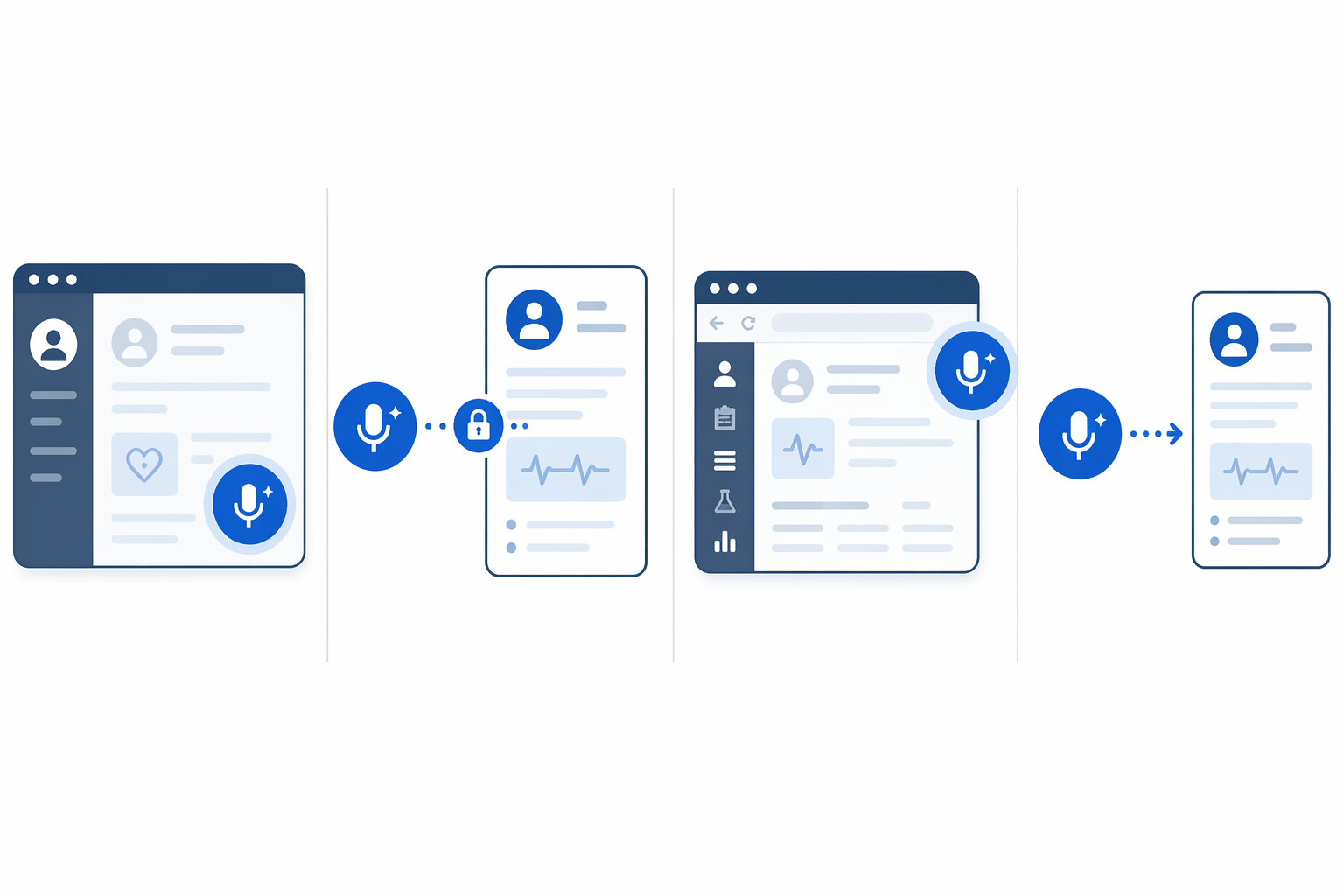
How to Match Integration Depth to Practice Context
The right tier depends less on the vendor's best demo and more on the organization's tolerance for implementation work and post-encounter cleanup. A health system with an Epic team, clinical informatics governance, training infrastructure, and specialty build capacity should be skeptical of lightweight “compatible” claims. If the tool cannot describe exactly what it writes back and how it fits the organization's documentation policies, it is not ready for enterprise scale.
A small practice should ask a different question: what can be safely adopted without creating an IT project the practice cannot maintain? If the choice is between a deeply integrated tool that stalls for months and a browser or copy-paste workflow that works tomorrow, the lighter tool may be the better first step. The decision becomes unsafe only when the practice mistakes that lighter workflow for full EHR integration.
- Large Epic or enterprise environments: prioritize native embedded or deep API tools, and evaluate adoption support as closely as product features.
- Independent practices: consider browser-extension or copy-paste tools if speed, simplicity, and low IT burden matter more than structured writeback.
- athenahealth customers: compare third-party scribes against athenaAmbient's included native option before accepting a separate subscription.
- Mid-sized Epic groups: look closely at SMART on FHIR tools when full enterprise implementation is too heavy but manual transfer is too thin.
- Specialty groups: test whether the tool handles specialty-specific documentation and field placement, not just whether it produces a fluent generic note.
This is also where model-only comparisons have limited purchasing value. A June 2025 medRxiv preprint reporting that GPT-o1 matched commercial scribes is interesting, but as a preprint that has not been peer reviewed, it should not drive procurement by itself. Even if a general model can produce a strong note, the organization still has to solve consent, security, authentication, field placement, clinician review, and EHR writeback.
What to Ask Before Comparing Prices
Price matters, but it should come after the workflow is named. A $49 tool that leaves five minutes of transfer work after every visit can be expensive. A $500 tool can also be wasteful if clinicians do not adopt it, if implementation drags, or if it writes elegant prose into the wrong place. The procurement sequence should force vendors to become specific before anyone debates subscription tiers.
- Which integration tier is being proposed: native embedded, API or SMART on FHIR, browser extension, or copy-paste?
- Which exact EHR fields or note sections are written back, and which parts remain manual?
- How does authentication work, and does the clinician stay inside the EHR workflow?
- What is the expected implementation timeline, and which internal IT, security, informatics, and training staff are required?
- Who reviews the note, who signs it, and what happens when the generated content conflicts with the clinician's judgment?
- What manual work remains after the encounter, and who is expected to do it?
The best AI scribe is not the one with the most polished sample note or the lowest advertised monthly price. It is the one whose integration depth matches the EHR environment, implementation capacity, and clinical workflow of the organization adopting it. If a vendor cannot say where the note lands and what work is still left for the clinician, the integration claim is not yet specific enough to buy.
References
- Best Medical AI Scribes, OmniMD
- The Best AI Scribe for Epic EHR Integration: Complete Guide 2025, HealOS
- Less Typing, More Talking: How Ambient AI Is Reshaping Clinical Workflow at Cleveland Clinic, Cleveland Clinic ConsultQD
- Best AI Medical Scribes 2026, SOAPNoteAI
- Best AI Medical Scribe, Glass Health
Comments
Join the discussion with an anonymous comment.