
The January 22, 2026, Microsoft 365 outage made the Teams and Outlook AI question hard to separate from the core outage itself. When Teams and Outlook were degraded, the AI functions layered onto those environments could not be treated as a separate, independently available service. For a clinic running virtual visits in Teams, an operations team managing inboxes in Outlook, or a documentation program experimenting with Copilot-generated meeting notes and summaries, the failure was not simply “email is slow” or “chat is down.” It was a collision between the communication channel and the automation layer that increasingly sits on top of it.
Microsoft’s public explanation for the January 22 incident was narrower than many downstream interpretations. The company described “elevated service load resulting from reduced capacity during maintenance,” and CRN reported a Microsoft 365 disruption that lasted more than nine hours, with Microsoft identifying affected services that included Outlook on the web, Exchange Online, the Microsoft 365 admin center, SharePoint Online, OneDrive for Business, Microsoft Teams, Microsoft Defender for Office 365, and Microsoft Purview.[1] Downdetector reports peaked above 27,000 during the incident, which gives some scale to the user-visible disruption without proving which enterprise tenants or workflows were most affected.[1]
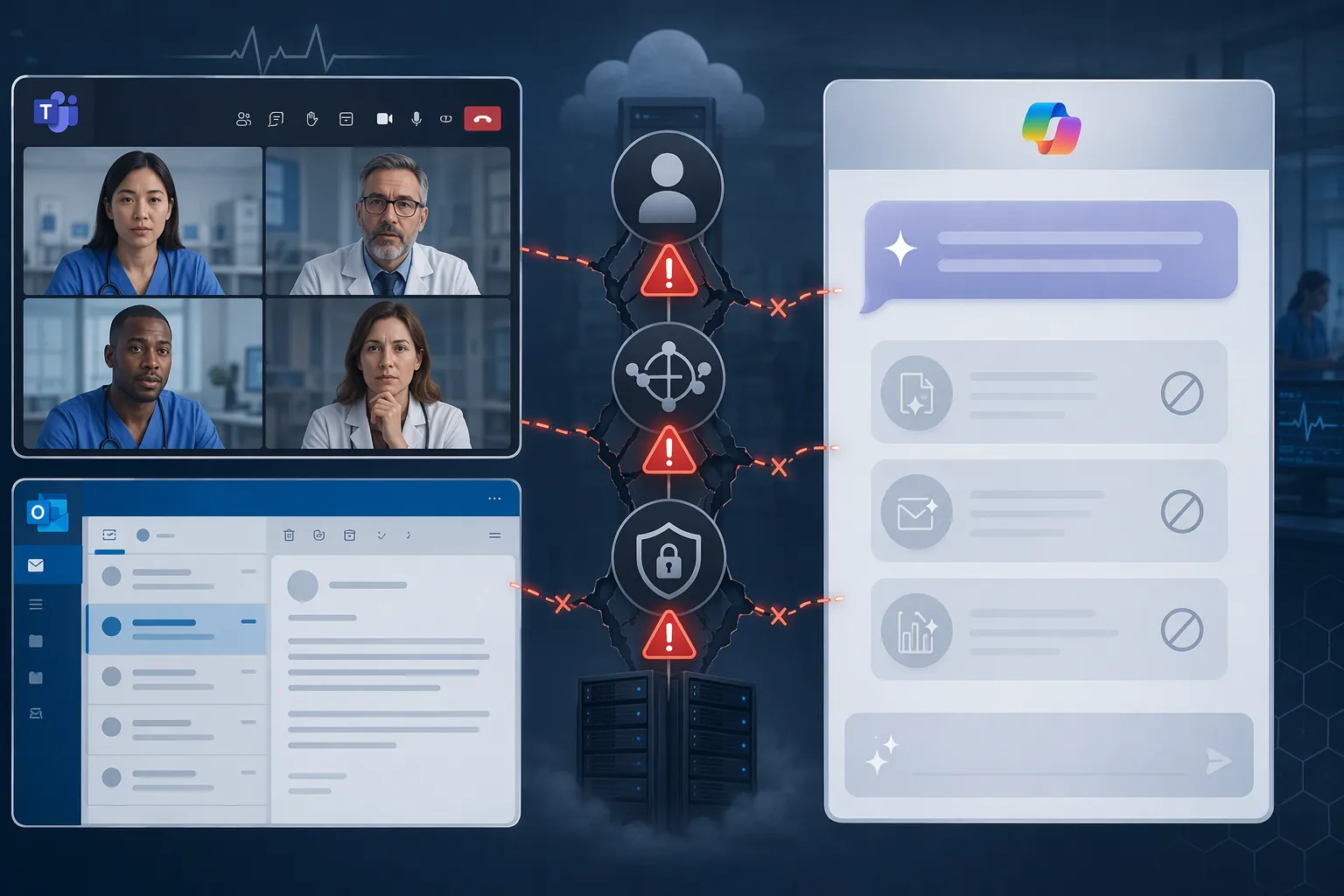
That affected-service list matters because Teams and Outlook are no longer just collaboration applications. They are the surfaces where Copilot chat, meeting recaps, smart summaries, Outlook drafting and summarization, and meeting-agent workflows appear to users. Microsoft did not, in the January 22 status language cited by CRN, publish a feature-by-feature confirmation that every named AI capability failed. The more defensible conclusion is dependency-based: when the base services used for meetings, mail, authentication, routing, or administrative control are degraded, the AI features embedded in those services should be assumed degraded unless Microsoft has designed and disclosed a separate resilience path.
What Microsoft Confirmed On January 22
The confirmed January 22 record starts with the Microsoft 365 admin-center timeline and the services Microsoft named. CRN’s outage account described a disruption that began in the morning and continued into the afternoon, with Microsoft later saying it had rerouted traffic and applied mitigations as recovery progressed.[1] A separate CRN report emphasized that Outlook, Defender, and Purview were affected the day after Teams issues had already been reported, creating a sequence that looked less like one isolated user annoyance and more like a run of service instability across Microsoft’s productivity and security stack.[2]
For healthcare organizations, Defender and Purview deserve attention even if the immediate user complaints centered on Outlook and Teams. Defender for Office 365 is part of the security monitoring and protection layer many organizations rely on for mail-borne threat visibility. Purview is tied to compliance, data governance, and audit-related controls. CRN’s reporting that those services were also affected means the incident reached into the tools that security and compliance teams would use to understand what happened during the same window.[1][2]
The practical result is a queue of unresolved checks after service restoration. Did the virtual visit happen? Did the clinician’s note get captured elsewhere? Did meeting attendance, chat context, or a transcript-based summary fail silently or fail visibly? Did a delayed security console leave analysts reconstructing alerts after the fact? Those are not abstract cloud-risk questions. They are ordinary continuity questions once a collaboration suite also becomes a clinical documentation and administrative workflow substrate.
Where The AI Impact Is Inferred, Not Officially Itemized
The most important distinction is between confirmed outage scope and inferred AI-feature impact. The confirmed January 22 facts support that Teams, Outlook-related services, Defender, Purview, and other Microsoft 365 services were affected.[1][2] They do not, by themselves, provide a Microsoft-published checklist saying “Copilot in Outlook failed,” “Teams intelligent recap failed,” or “meeting agents failed” for every tenant and every time slice.
Still, the dependency inference is not speculative in the casual sense. Copilot in Outlook requires the user, mailbox context, Microsoft 365 service access, and policy controls to be reachable enough for the feature to operate. Teams meeting recaps and summaries depend on the meeting environment, transcript or recording availability where configured, identity, permissions, and downstream processing. AI meeting agents are not useful if the meeting service, sign-in path, or control plane used to authorize and route the request is unavailable. If the surface and the substrate are both inside the degraded Microsoft 365 environment, the AI layer has little practical independence.
TechRadar’s live coverage captured the real-time feel of the January 22 disruption, including user reports and the progression toward restoration.[3] That kind of live record is useful because enterprise incidents are experienced as a moving sequence: sign-in works for one user but not another; Outlook loads but search or send behavior lags; Teams appears available but meetings degrade; an admin portal is reachable after the front-line teams have already shifted to contingency channels. AI features inherit that unevenness rather than cleanly sitting outside it.
The Shared-Dependency Problem
An AI assistant in Teams or Outlook feels like a feature. Operationally, it behaves more like another workload riding on the same identity, routing, entitlement, logging, and policy infrastructure as the application around it. If a user cannot authenticate reliably, a Copilot feature cannot confidently decide who the user is, which tenant policies apply, which mailbox or meeting content can be accessed, or where the response should be delivered.
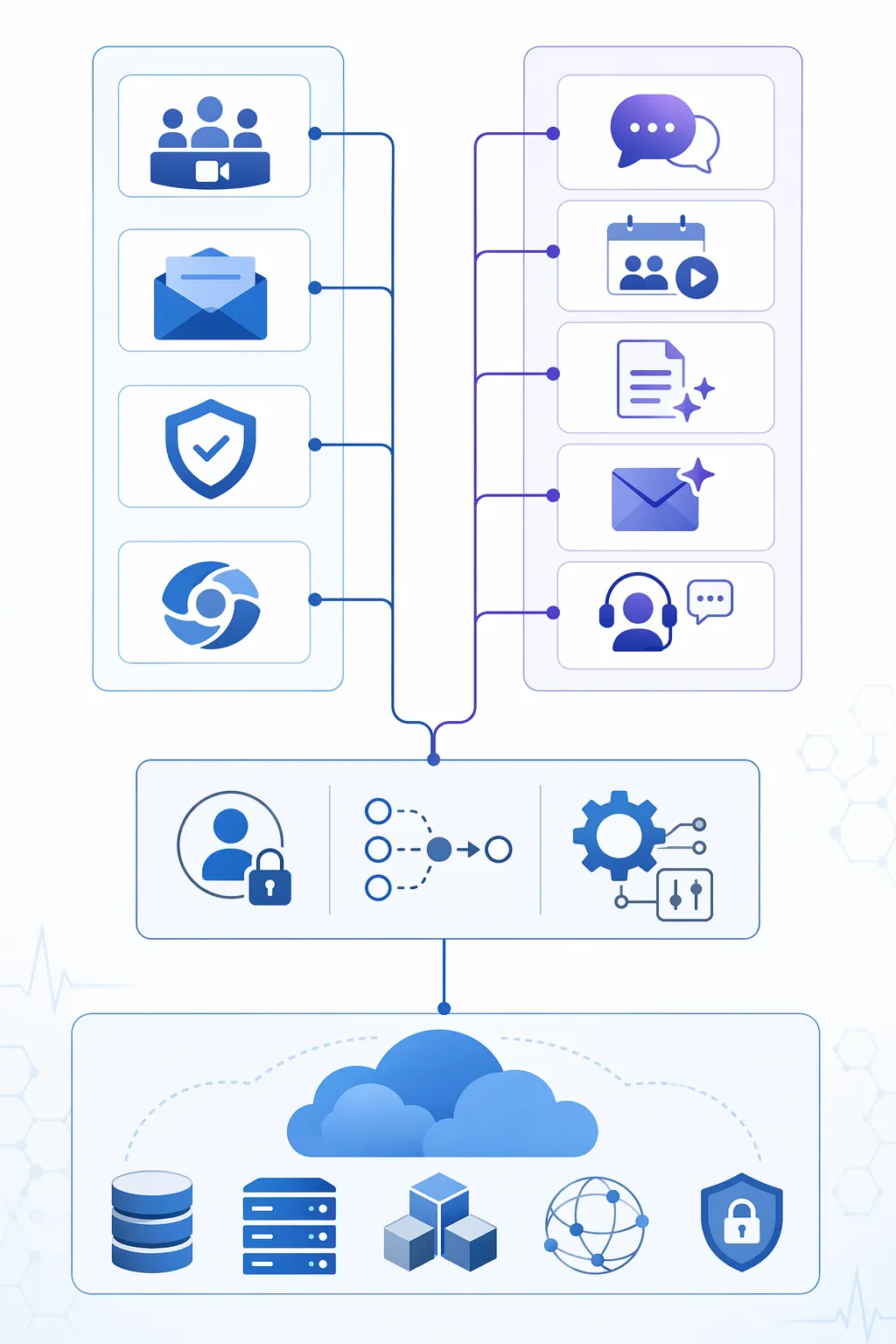
Ismail Kovvuru’s forensic analysis placed Azure AD, now Microsoft Entra ID, and Azure Front Door at the center of a plausible dependency map for the January 22 incident, arguing that upstream identity and routing dependencies could explain why multiple Microsoft 365 services degraded together.[4] That analysis should be read carefully: it is outside forensic interpretation, not Microsoft’s official root-cause analysis. Microsoft’s confirmed language remained the more limited “elevated service load resulting from reduced capacity during maintenance.”[1]
Even with that caution, the architecture lesson is straightforward. AI features do not become resilient merely because they are labeled AI. They still need authenticated users, reachable service endpoints, content permissions, policy enforcement, and administrative controls. A meeting recap cannot recap a meeting whose transcript path or meeting metadata is unavailable. Outlook Copilot cannot summarize a thread it cannot reliably retrieve or authorize. A security or compliance AI workflow is constrained by the same monitoring and governance services that may be degraded during the incident.
| Workflow surface | AI capability at risk | Shared dependency that matters |
|---|---|---|
| Teams meetings | AI meeting recaps, smart summaries, meeting agents | Meeting service availability, identity, transcript or recording access, routing |
| Outlook and Exchange Online | Copilot drafting, thread summaries, mailbox Q&A | Mailbox access, authentication, permissions, policy controls |
| Microsoft 365 admin and security tools | AI-assisted investigation or governance workflows | Admin center availability, Defender visibility, Purview controls, audit access |
This is why treating Copilot as a lightweight productivity add-on creates a planning error. The procurement label may say add-on. The runtime behavior looks like workflow infrastructure whenever the organization has trained users to rely on it for summaries, follow-ups, note scaffolding, triage, or handoff support.
January 22 Was Not The Only Signal In 2026
The January 22 Microsoft 365 disruption lands differently because it sits inside a broader 2026 pattern. On January 15, CRN reported a Microsoft Copilot outage that disrupted users for 42 minutes and was tied to a configuration change.[5] That incident was more directly Copilot-specific than the January 22 event, and it shows that the AI layer can have its own reliability problems in addition to inheriting problems from the Microsoft 365 environment around it.
The pattern continued in June. CRN reported that Microsoft confirmed a Copilot outage on June 1 lasting 4 hours and 25 minutes, followed by another Copilot outage on June 11.[6] These incidents did not all have to share the same cause to matter for planning. Healthcare IT leaders assessing Microsoft 365 Copilot in Q3 2026 are no longer looking at a single bad day in January. They are looking at at least four AI-related Microsoft 365 or Copilot incidents across January 15, January 22, June 1, and June 11.[1][5][6]
| Date | What the available reporting supports | Why it matters for AI workflow planning |
|---|---|---|
| January 15, 2026 | Copilot-specific outage reported by CRN; 42 minutes; tied to a configuration change | Shows the AI layer can fail as its own service path |
| January 22, 2026 | Microsoft 365 outage affecting Teams, Outlook-related services, Defender, Purview, and other services; more than nine hours reported | Shows AI features embedded in Teams and Outlook share exposure with core Microsoft 365 services |
| June 1, 2026 | Copilot outage confirmed by Microsoft and reported by CRN; 4 hours and 25 minutes | Adds recurrence beyond the January incident window |
| June 11, 2026 | Another Copilot outage reported by CRN in the same month | Turns isolated disruption into a reliability record requiring governance review |
Spiceworks community reports from the January 21–22 window add a useful administrator-level texture: IT staff described Defender problems, authentication failures, and a sequence of service degradation as they were trying to understand what was still usable.[7] Community threads are not root-cause documents, but they often show the part formal incident summaries flatten out: the administrator is not just waiting for “service restored.” They are deciding whether to reroute users, whether alerts can be trusted, and whether a second tool has failed because of the same upstream condition.
What Changes In Healthcare
Healthcare does not need a special theory of Microsoft risk. It needs an honest inventory of where Microsoft 365 AI has moved from convenience into care-adjacent workflow. A Teams visit can be rescheduled or moved to a phone call, but if the same Teams environment was also expected to support meeting capture, ambient-style documentation, or follow-up summarization, the outage removes both the visit channel and part of the documentation plan. The fallback is not simply “use another meeting link.” It is “how will the clinician document, how will the patient be contacted, and how will the record show what happened?”
The same issue applies to nursing and care-management workflows. If an AI-assisted flowsheet, handoff summary, or task extraction process depends on Microsoft 365 identity, Teams context, Outlook messages, or tenant policy controls, its outage behavior should be mapped with the base services, not placed in a separate AI risk register. The staff member waiting for the summary still has to hand off the patient. The manager still has to know whether the note exists. The compliance team still has to distinguish a delayed record from a missing one.
Clinical decision-support agents deserve even stricter boundaries. If they are used only for administrative drafting, the failure mode is inconvenient and potentially costly. If they are wired into triage support, care-gap outreach, chart review, or message prioritization, then service degradation can change who waits, which queue is visible, and how quickly a human reviewer sees the next item. None of that requires assuming patient harm from the January 22 outage. It requires acknowledging that the operational consequence grows as the AI feature moves closer to live clinical workflow.
Kovvuru’s analysis included a hypothetical financial-impact estimate of $4 million to $10 million per 10,000-employee enterprise for an 8-hour outage.[4] That figure should not be treated as audited healthcare loss from the January 22 Microsoft event. Its value is illustrative: it reminds executives that an outage cost model has to include stalled work, manual recovery, security review, deferred communication, and rework after systems return.
The Resilience Test To Apply Before Expanding Copilot
The right response is not to ban Microsoft 365 Copilot from healthcare environments. Teams and Outlook AI can remove clerical drag when they work: summarizing long threads, drafting routine communications, producing meeting follow-ups, and helping users find context faster. The procurement question is whether those functions are being bought and governed as optional convenience features or as workflow infrastructure with shared-failure exposure.
A useful resilience review starts with the workflows, not the SKU. For each deployed or planned AI feature, the organization should identify the human fallback, the documentation fallback, the communication fallback, and the audit fallback. The review should also name which team owns the decision to switch modes during a Microsoft 365 degradation: clinical operations, IT incident command, security, compliance, or the local department leader.
- For Teams-based care, define how visits continue if Teams meetings, recaps, transcripts, or meeting agents are unavailable together.
- For Outlook-based workflows, define how urgent patient, payer, pharmacy, and internal messages are triaged if Copilot summaries and mailbox access degrade at the same time.
- For documentation support, define whether clinicians must create contemporaneous manual notes when AI-generated summaries are delayed or unavailable.
- For security and compliance, define how analysts preserve visibility when Defender, Purview, or admin-center functions are affected during the same incident.
Post-outage guidance from Spambrella emphasizes mitigation steps around email continuity, security posture, and reducing dependence on a single mail-security path during Microsoft 365 disruptions.[8] That belongs near the practical end of the discussion because mitigation is not proof of root cause. It is the operational work that begins once an organization accepts that email, collaboration, AI assistance, and security visibility can degrade in overlapping windows.
For health systems, the January 2026 lesson is uncomfortable because it is mundane. The AI layer is not floating above the Microsoft 365 estate. It is wired into the same identity, routing, service, and control-plane dependencies that make Teams and Outlook usable in the first place. Microsoft 365 Copilot can still be a reasonable tool, but it should be priced, tested, and governed as part of the workflow infrastructure. Continuity plans should assume that the assistant may disappear at the same moment as the meeting, inbox, security console, or compliance surface it depends on.
References
- Microsoft 365 Nine-Hour-Plus Outage: 5 Things To Know, CRN, Jan. 22, 2026.
- Microsoft Outage Hits Outlook, Defender, Purview Day After Teams Issues, CRN, Jan. 22, 2026.
- Microsoft 365 outage live coverage, TechRadar, Jan. 22, 2026.
- January 2026 Microsoft 365 outage forensic analysis, Ismail Kovvuru, Medium.
- Microsoft Copilot Outage Disrupts Users, Company Investigates, CRN, Jan. 15, 2026.
- Microsoft Confirms Second Copilot Outage This Month, CRN, June 2026.
- Microsoft 365 outage community thread, Spiceworks Community, Jan. 21–22, 2026.
- Microsoft 365 outage analysis and mitigation recommendations, Spambrella.
Comments
Join the discussion with an anonymous comment.